

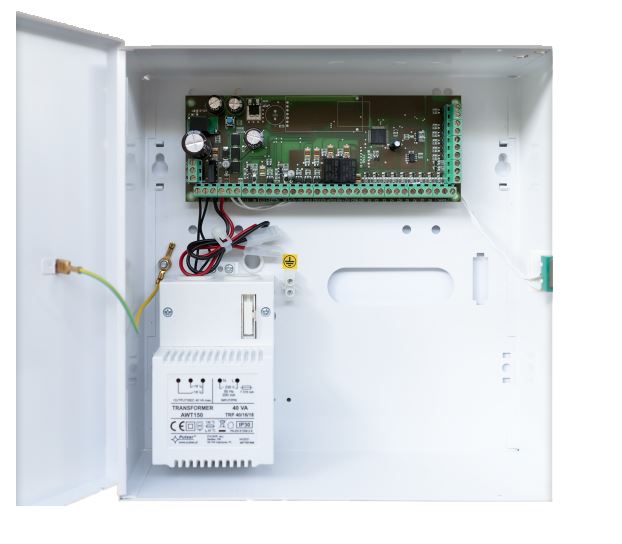
Security center (8 zones) with interface for GSM GPRS communicator.
No information available.
No information available.
The B-SEC is an 8-zone security control panel designed to protect your home against intrusions, fire, gas, or water leaks. It includes notifications via the Atouch 5.0 app or GSM/GPRS communicator interface, enabling remote alerts and integration with alarm scenarios.
The B-SEC supports up to 8 physical zones, each configurable for different types of protection: intrusion, fire, gas, or water.
The B-SEC supports up to 8 physical zones, each configurable for different types of protection: intrusion, fire, gas, or water.
Yes. The B-SEC allows alarm-based automation scenarios such as triggering lights, sirens, or custom notifications when a zone is activated.
Yes. The B-SEC allows alarm-based automation scenarios such as triggering lights, sirens, or custom notifications when a zone is activated.
The B-SEC can store up to 1024 events, which can be reviewed for historical or audit purposes.
The B-SEC can store up to 1024 events, which can be reviewed for historical or audit purposes.
Yes. The Atouch 5.0 mobile app or the GSM/GPRS communicator allows the B-SEC to send alerts and status changes directly to your phone—even without a fixed internet connection.
Yes. The Atouch 5.0 mobile app or the GSM/GPRS communicator allows the B-SEC to send alerts and status changes directly to your phone—even without a fixed internet connection.
It allows the B-SEC to send notifications and alerts via mobile networks, useful in locations without fixed internet access.
It allows the B-SEC to send notifications and alerts via mobile networks, useful in locations without fixed internet access.
Press the single button on the B-SEC (top left corner of the PCB).
The LED will flash red and green.
Press any button on the RC-4BRF remote to complete pairing.
Press the single button on the B-SEC (top left corner of the PCB).
The LED will flash red and green.
Press any button on the RC-4BRF remote to complete pairing.
Press and hold the B-SEC’s single button for 5 seconds.
All previously paired remotes will be removed from memory.
Press and hold the B-SEC’s single button for 5 seconds.
All previously paired remotes will be removed from memory.
Apoio ao cliente